'/%3e%3crect%20x='68'%20y='68'%20width='888'%20height='888'%20rx='220'%20fill='none'%20stroke='%232A2E3A'%20stroke-width='8'/%3e%3c!--%20the%20cursor%20line%20runs%20on%20to%20two%20hosts:%20one%20direct,%20one%20through%20a%20hop%20--%3e%3cg%20fill='none'%20stroke='%234A5063'%20stroke-width='28'%20stroke-linecap='round'%3e%3cpath%20d='M574%20676C690%20676%20660%20348%20776%20348'/%3e%3cpath%20d='M574%20676H776'/%3e%3c/g%3e%3c!--%20the%20prompt:%20%3e_%20--%3e%3cg%20fill='none'%20stroke='url(%23prompt)'%20stroke-width='84'%20stroke-linecap='round'%20stroke-linejoin='round'%3e%3cpath%20d='M236%20352l156%20156-156%20156'/%3e%3cpath%20d='M462%20676h112'/%3e%3c/g%3e%3ccircle%20cx='776'%20cy='348'%20r='60'%20fill='%23A3E635'/%3e%3ccircle%20cx='776'%20cy='676'%20r='60'%20fill='%23A3E635'/%3e%3c/svg%3e)
Every host.One place.
A free, open-source SSH and remote desktop connection manager. TuxShell connects with the system ssh, so your ~/.ssh/config, keys, agents and jump hosts work as they already do.
These are the hosts from the app's Home screen. Point at one to see it.These are the hosts from the app's Home screen.
Through the jump host, like your terminal does
TuxShell starts the ssh you already have. ProxyJump chains, keys and agents behave exactly as in a terminal, and every host shows the hop it goes through.
Import ~/.ssh/config, CSV, Excel, MobaXterm, Remmina, PuTTY, Ansible INI and .rdp files, with a preview of every host.
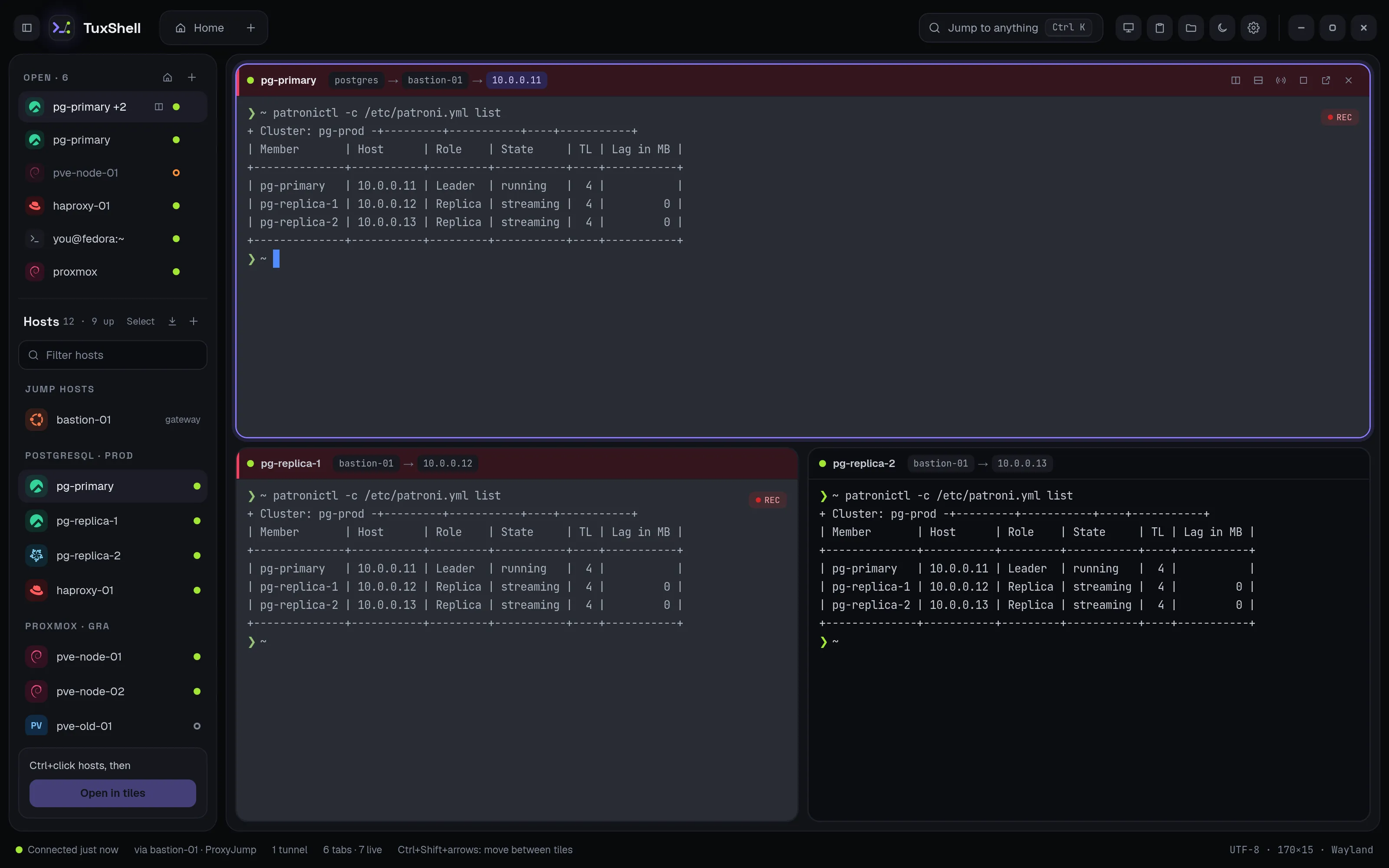
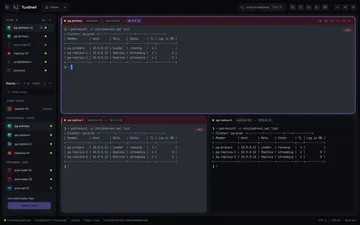
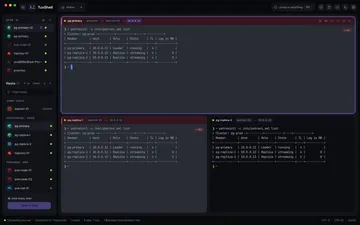
The whole cluster in one tab
- Up to four panes per tab: merge, move out, maximize, resize
- Each pane header shows the jump chain:
postgres → bastion-01 → 10.0.0.11 - Broadcast typing to every pane, minus the ones you leave out
- Save the set as a layout and open it in one click
 See it larger →
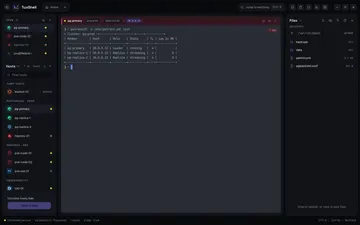
Files next to the terminal
The file panel browses the focused pane's host and can follow the terminal's folder. Drop files to upload, download and open, rename, change permissions, or edit in your desktop editor. Ctrl Shift E
It never overwrites a file on either side without asking.
 See it larger →
Windows machines, in the same list
One host form for both: SSH terminal or remote desktop. Open RDP in its own window with FreeRDP 3 (shared folders, clipboard, printers, smart cards, RemoteApp, RD Gateway) or inside a tabbeta.
Reach the desktop through an SSH jump host. Certificates are pinned.
 See it larger →
Your passwords stay where they are
- Keys or your ssh agent: recommended, nothing secret stored
- 1Password or KeePassXC: the host keeps only a reference like
op://Vault/Item/field - System keyring: optional saved passwords, nowhere else
Passwords never go into TuxShell's files, onto ssh's command line or into its environment. No account, no telemetry.
Security & privacy →Made for Linux. On a Mac too.
Packages for Fedora, RHEL, Debian and Ubuntu, plus an AppImage and a Flatpak for any distribution. On macOSbeta it uses the system's window buttons and ⌘ shortcuts.
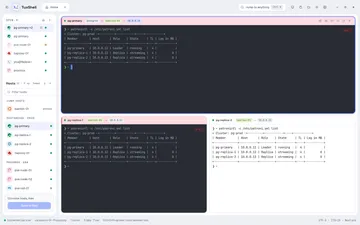
Dark and light themes, or follow the system.
 See it larger →
Get TuxShell 1.5.3
tuxshell-1.5.3-1.x86_64.rpm
Fedora 39+, RHEL, AlmaLinux and Rocky Linux 10 · 9.9 MB
sudo dnf install ./tuxshell-1.5.3-1.x86_64.rpmRecommends FreeRDP 3 (freerdp) for remote desktops in their own window.
tuxshell_1.5.3-1_amd64.deb
Debian 13+ and Ubuntu 24.04+ · 9.5 MB
sudo apt install ./tuxshell_1.5.3-1_amd64.debRecommends FreeRDP 3 (freerdp3-x11) for remote desktops in their own window.
TuxShell-1.5.3-x86_64.AppImage
Any distribution with GTK 4 and WebKitGTK 6.0 · 115 MB
chmod +x TuxShell-1.5.3-x86_64.AppImage && ./TuxShell-1.5.3-x86_64.AppImageTuxShell-1.5.3-x86_64.flatpak
Any distribution with Flatpak and Flathub set up · 7.5 MB
flatpak install --user TuxShell-1.5.3-x86_64.flatpakssh runs inside the sandbox. Data lives in ~/.var/app/io.github.vgrigolaia.TuxShell/.
TuxShell-1.5.3-universal.dmg
macOS 12 or newer, Apple silicon and Intel · 20.0 MB
shasum -a 256 -c TuxShell-1.5.3-universal.dmg.sha256Not notarized yet: on first start, open System Settings → Privacy & Security and click Open Anyway.
What's new · 30 October 2026
TuxShell 1.5.3
- AddedReconnect in a tab's right-click menu (Reconnect all panes for a split tab): ends the sessions and connects them again.
- AddedThe status bar shows how fast the active terminal answers: echo is how long typed keys take to come back from the server, draw how long TuxShell takes to show them. Preferences → About → Performance lists recent moments the window was busy and how many terminals draw on the GPU.
- FixedDuplicating a host froze the window (the menu stayed open and terminals disappeared). An error in the host form now stays inside the form.
- FixedA copied host no longer says its original's password is saved.


And everything else
The tools you reach for once you're connected. All features →
Quick connect
Fuzzy search hosts, snippets, tunnels and actions, or type user@host:port.
Live host status
Up, slow or down by ICMP ping, never by opening SSH connections.
Tunnels
Local forwards and SOCKS proxies through a saved host, on 127.0.0.1 only.
Clipboard history
Encrypted at rest. Skips password- and token-looking text.
Ctrl Shift HSnippets
Saved commands that never run until you press Enter.
History and recording
Connections, never commands. Record a session's output if you choose.
Terminal profiles
Per-host colours, background image, pane header colour, command on connect.
Your shortcuts
Change or turn off any shortcut. ⌘ on macOS.
Ctrl ,